Stop Losing Jacksonville Leads to Those Permanently Closed Map Errors
Stop Losing Jacksonville Leads to Those “Permanently Closed” Map Errors
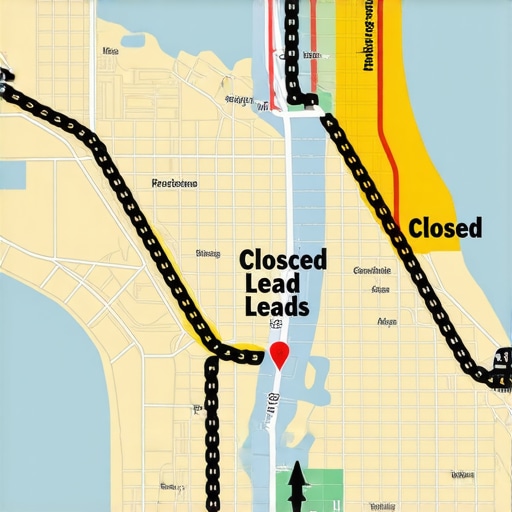
Imagine this: You’ve spent years building your reputation in the Bold City. Your trucks are wrapped, your crew is out in the Jacksonville heat, and your phone has been ringing consistently. Then, suddenly, the calls stop. Silence. You search for your own business on your phone while grabbed a coffee in San Marco, and your heart sinks. There it is, in bright, jarring red text right under your business name: “Permanently Closed.”
In Jacksonville’s hyper-competitive service market, this isn’t just a technical glitch; it’s a catastrophic lead killer. Whether you are a roofer in Mandarin or a personal injury attorney downtown, a “Permanently Closed” tag acts as a direct signpost redirecting your hard-earned customers to your nearest competitor. At Jacksonville Local SEO, we’ve seen this “ghost error” sabotage local rankings for dozens of businesses. It is a silent assassin of ROI, and if you don’t act fast, the damage to your brand authority can take months to repair. This guide will show you exactly how to reclaim your digital storefront and ensure you never lose another lead to a map error again.
Why Your Jacksonville Business Profile Suddenly Says “Permanently Closed”
Google’s ecosystem is vast, and while it’s incredibly smart, it is also prone to automated errors and manipulation. Understanding why this happened is the first step toward a permanent fix. In our experience working with local businesses across Duval County, the culprit usually falls into one of three categories.
1. Malicious or Erroneous User Edits
Google Maps is built on community contributions. Anyone with a Google account can click “Suggest an edit” on your profile. While this is intended to keep the map updated, it is frequently abused. In high-stakes industries like roofing or HVAC, aggressive competitors may report your business as closed to clear the way for their own listings. Google’s AI often auto-accepts these edits if the user has a high “Local Guide” level, leading to your business being shuttered online without a single notification hitting your inbox.
2. Data Sync Conflicts and the “Yelp Effect”
Research data shows that Google doesn’t just rely on the information you provide in your dashboard. It constantly crawls the web to cross-reference your business status. If an old, forgotten listing on Yelp, Mapquest, or an obscure local directory still lists your business at a previous address or marks it as “closed,” Google’s AI may perceive a conflict. When Google sees conflicting data, it often defaults to the most “conservative” status – marked as closed – to avoid sending a user to a non-existent location. This is why maintaining a clean digital footprint is essential for google business profile seo.
3. The “Ghost Error” and Algorithmic Shifts
Sometimes, the error is purely algorithmic. We have identified cases where minor changes to a business’s physical environment – such as a shopping center changing its name or a post office updating zip code boundaries – trigger a re-verification requirement. Furthermore, mismatched data like suite numbers can be a major trigger. For a deeper dive into this specific technicality, read our article on How One Mismatched Suite Number Keeps Jacksonville Shops Off the Map. If Google’s “Street View” car passes by and doesn’t see a clear sign matching your exact business name, the AI might flag the location as defunct.
The High Cost of the “Red Tag” in Jacksonville
When your business is marked as “Permanently Closed,” you don’t just look bad; you effectively cease to exist in the eyes of the Google algorithm. This has a devastating impact on the “Map Pack” – those top three spots that capture the lion’s share of local clicks.
Google’s local ranking algorithm relies on three pillars: Proximity, Relevance, and Prominence. A “closed” status nukes all three.
- Proximity: Google will not show a closed business to someone searching “near me,” even if they are standing right outside your front door.
- Relevance: A closed business is no longer relevant to a user looking for an immediate service.
- Prominence: Your reviews and history are sidelined because Google believes the entity no longer exists.
In 2026, we are seeing the rise of “Lead Decay.” This is the phenomenon where the longer a business stays “closed” on the map, the harder it is to regain its former ranking once reopened. You lose the momentum of daily clicks and calls, and your competitors quickly fill the vacuum. Maintaining your profile health is the absolute foundation of google business profile seo. Without a “Live” status, all other SEO efforts – backlinks, content, and reviews – are essentially shouting into a void.
Step-by-Step: How to Reopen Your Business on Google Maps
If you’ve discovered the “Red Tag” on your listing, do not panic, but do act immediately. Follow these steps to force Google to recognize your business as active.
Method 1: The GBP Dashboard (The Direct Approach)
- Log in to the Google account that manages your Google Business Profile.
- Search for your business name in Google to bring up the management menu.
- Click on “Edit Profile.”
- Navigate to the “Hours” section.
- Look for the status toggle. If it says “Permanently Closed,” switch it to “Open with main hours.”
- Input your correct operating hours and click “Save.”
Method 2: Suggest an Edit (The “Force Refresh” Approach)
Sometimes the dashboard shows you are “Open,” but the public-facing map still says “Closed.” This is a sync error. To fix this, search for your business on Google Maps using a different Google account (ideally one with “Local Guide” status). Click “Suggest an edit,” then select “Close or remove,” and then ironically, select “Reopen.” This forces Google’s AI to re-evaluate the listing status against the dashboard data. This method is often faster than waiting for the dashboard update to propagate.
Method 3: Google Support Escalation
According to research from the Local Search Forum, if Method 1 and 2 fail, you likely have a “hard suspension” or a deep data conflict. You will need to contact Google Business Profile support directly. Be prepared to provide:
- A photo of your business license or tax registration.
- A utility bill (electric or water) showing the business name and Jacksonville address.
- A photo of your permanent signage (not a temporary banner).
Escalating to support is often the only way to resolve errors caused by “competitor spam” reporting.
Advanced Troubleshooting: Fixing the Root Cause
Reopening your business is the short-term fix. To prevent the “Permanently Closed” error from returning, you must address the underlying technical issues that made Google doubt your existence in the first place. You need to utilize professional local seo tools to audit your entire digital presence.
Citation Cleanup and NAP Consistency
If Yelp, Bing, or the Yellow Pages have your business listed as closed, Google will eventually believe them. You must perform a full citation audit. Your NAP (Name, Address, Phone Number) must be identical across every single platform. If your website says “Suite 101” but Google says “Unit 101” and Yelp says nothing at all, the AI gets confused. This confusion leads to the “Closed” tag.
The Power of Local Schema
One of the most overlooked ways to verify your business status to Google is through your website’s code. By implementing Local Business Schema (JSON-LD), you are providing a direct, machine-readable data feed to Google’s crawlers. This code tells the AI exactly where you are, when you are open, and that you are a legitimate entity. For more on this, see our guide on Why your website needs local schema to show up for neighborhood searches. This acts as a “digital birth certificate” that overrides conflicting data from third-party directories.
Active Monitoring
You cannot afford to wait for a drop in phone calls to realize your profile is broken. Using a google maps rank tracker allows you to see real-time shifts in visibility. If your ranking suddenly drops to zero, it’s a leading indicator that a “Closed” tag or a suspension has been applied.
Preventing Future “Closed” Errors with Proactive Management
Google trusts active businesses. If your profile sits stagnant for months, it becomes a target for “Closed” edits. Proactive management is your best defense.
Use Monitoring Tools: Don’t fly blind. A google business profile audit tool can alert you to unauthorized changes to your profile before they become permanent. These tools scan for “Suggested Edits” that you might have missed in your email notifications.
Maintain a “Live Signal”: Regularly posting photos of your team at work in Jacksonville neighborhoods (like Avondale or the Northside) and publishing weekly GBP updates signals to Google that the lights are on. An active profile is much harder for a competitor to “shut down” via malicious reporting.
The Review Response Strategy: Engaging with your customers is not just about customer service; it’s about SEO. Responding to every review – both positive and negative – proves to Google’s AI that the business is managed by a real human. Check out our proven Review Response Strategy That Actually Moves Your Jacksonville Map Pin to see how this impacts your ranking stability.
For specific industries, the stakes are even higher. We’ve documented Why Jacksonville Roofers Lose Local Leads specifically due to map instability and how they can bulletproof their listings against seasonal competitors who pop up during storm season.
Conclusion: Reclaim Your Jacksonville Map Dominance
The “Permanently Closed” error is more than a nuisance; it is a direct threat to your livelihood in the Jacksonville market. In a city where local search drives the majority of service-based revenue, you cannot afford to let a technicality or a malicious edit hand your leads to someone else. By following the steps outlined above – from dashboard fixes to advanced schema implementation – you can reclaim your spot in the Map Pack and ensure your digital front door is always open.
Don’t wait for your phone to stop ringing. Take control of your local presence today. If you’re struggling with recurring map errors or want to dominate the Duval County search results, contact SEO Jacksonville for a comprehensive local seo audit or a specialized google maps audit. We’ll help you build a bulletproof listing that stands the test of time and competition.